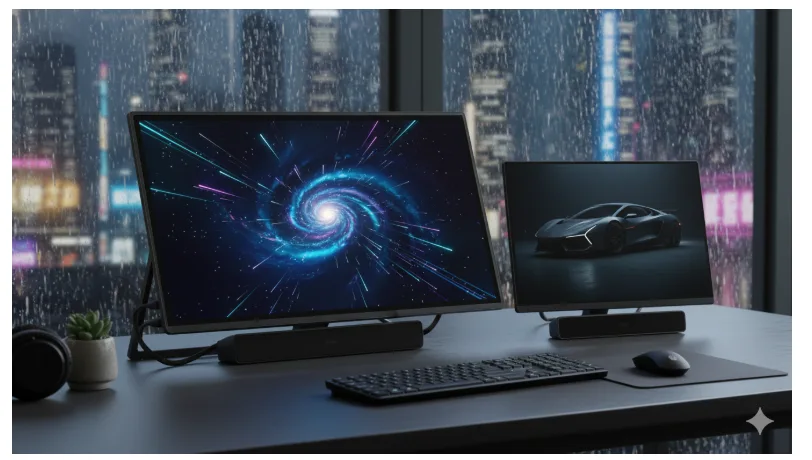
Late at night, you watch a movie opening in deep space. The backdrop is black as pitch. The stars twinkle crisply. No trace of grayscale. That is often the first time you’ve experienced the mini LED computer monitor. The image seems directed, purposeful, and almost alive. Of course, this is no mere function of resolution. It is the result of local dimming.
It is a technology that determines in real-time the whereabouts and departure of light. Mini-LED computer monitors are extremely dependent on this for contrast and depth enhancement. In this article we will explain how local dimming works in mini LED monitors logically. In a rational manner devoid of tech speak.
Table of Contents
- What Is Local Dimming and Why It Exists
- Mini-LED Backlight Zones: The Real Upgrade
- Zone Count vs Image Quality
- How Smart Algorithms Control Brightness
- Real-World Benefits of Local Dimming
- Mini-LED Displays as an External Workhorse
- Drawbacks You Should Know About
- Conclusion
What Is Local Dimming and Why It Exists
Local dimming was invented to solve one simple issue. In a normal LCD screen, it shines everything equally. In a bright scene and in a dark scene, it keeps the backlight turned on. This is not using the contrast effectively.
Local dimming impacts this. It enables areas of the screen to dim or brighten independently. A portable monitor with battery in it will find the relevance of this concept when efficiency and contrast are both considerations. The screen will not just cast light indiscriminately. It will be discriminating. Intelligent. Human-like. It is the foundation of how a Mini-LED screen performs.
Mini-LED Backlight Zones: The Real Upgrade
Mini-LED is not a substitute for the display. It’s an upgrade to what’s behind the display.
Instead of a few large LEDs, the Mini-LED display has thousands of tiny light sources. The light sources are organized in zones. Each zone is a miniature flashlight. On. Off. Somewhere in between.
When a bright object emerges on the screen, the areas behind the object are the ones that light up. All other areas are dim. That explains why the object’s shadows appear deeper and the highlights appear sharper. This point marks the end of the screen acting as a simple light source. It begins to operate like a light canvas.
Zone Count vs Image Quality
Here’s a story of two monitors with the same size and the same resolution. One has 96 dimming zones. The other has 1,152. Can you see the difference?
The difference is clear. The more zones, the more precise the picture will be. Less areas of bright light. Less glow around bright objects in the scene. More detail in dark areas of the picture.
And then there’s the zone count. This affects how realistic the picture feels. Having a smaller number of zones can lead to blooming. Yet, adding more zones helps minimize blooming. This is exactly what high-end Mini-LED displays boast about regarding the number of zones. That’s no marketing trick. That’s science.
How Smart Algorithms Control Brightness
Hardware cannot be only depended upon. Software thinks.
Mini-LED displays employ algorithms that analyze each frame. The algorithms focus on the light distribution, motion, and contrast. After that, they decide the intensity for each zone. It happens in an instant.
This process occurs dozens, or in some cases hundreds, of times per second. The objective is to achieve balance. Its glare when it is too bright and details are lost when too dark. It’s seamless when it’s done well. You simply notice that it’s good.
Real-World Benefits of Local Dimming
The advantages appear quickly.
First, it shows excellent contrast; blacks appear black, and whites are always clean. Second, the HDR is relevant.
Another reason to use a mini LED computer monitor is because it increases the comfort offered during the day. The lower unwanted brightness means there is little need to worry about eye strain when working for an extended period. The color grading also becomes more accurate. There is an immersive experience while gaming. Basic browsing also appears more refined and orderly.
Mini-LED Displays as an External Workhorse
The employment of the Mini LED technology in the external monitor brings a new experience when working or playing. The monitor adjusts according to different tasks without any need for constant changes. The bright office tasks remain legible. The dark creative timeline retains accuracy.
An external monitor with Mini-LED technology yields mixed content magnificently. One window fully bright. Another dimmed. Not a compromise of great importance to professionals. A quality external display becomes inconspicuous and lets the content shine.
Drawbacks You Should Know About
Local dimming is not perfect.
However, blooming may occur, particularly in areas around subtitle regions or small bright objects in darker regions of a picture. This is more problematic in lower-cost sets. Smaller screens, perhaps in a battery-powered portable display, will exhibit it better, because it may lack enough zones to display it well.
Another consideration is the level of processing complexity. There are monitors that have small amounts of lag or changes in brightness. These are not deal-breakers. However, it is information that you should have before making a purchase.
Conclusion
This is the quiet engine that drives innovation in Mini-LED displays. It does not measure the agonies of brightness. It seeks control. The mini LED computer monitor seeks to offer deeper blacks, greater highlight detail, and better light control.
Yes, there are downsides. Blooming is a reality. Processing times differ. However, the positives clearly beat the negatives. When implemented correctly, local dimming makes the display less like a gadget and more like a window. And, believe it or not, once you experience the difference, you won’t go back.